
10 Popular Ways to Incorporate QR Codes on Product Labels
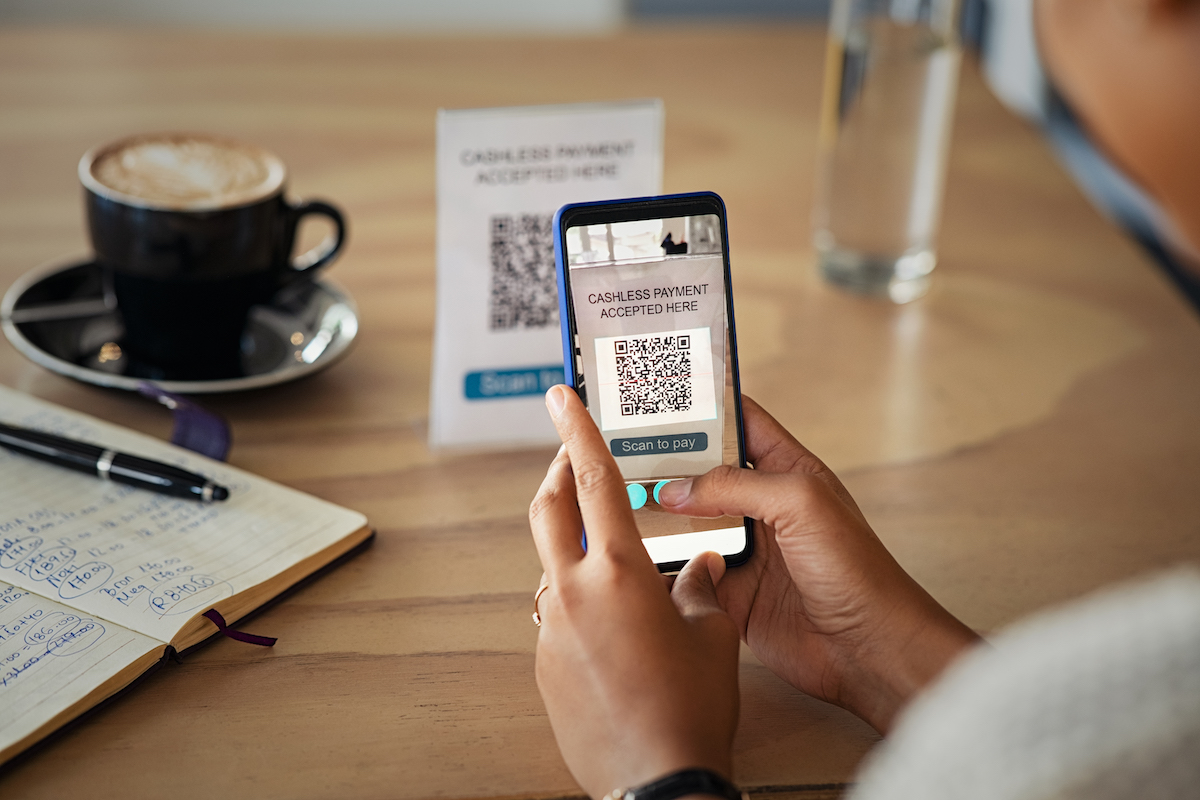
Did you know that in 2011 only 6.2% of smartphone users scanned a QR code? It wasn’t until 2017, when Snapchat adopted the QR code, that they started gaining popularity. In that same year, Apple upgraded its iOS software to include QR code scanners without needing a third-party app.
From 2018 to 2020, QR code interaction grew by 94%! QR codes have also become a major part of pop culture—Coinbase ran a 2022 Super Bowl ad featuring nothing but a moving QR code on a black background, resulting in an extremely successful campaign.
What is a QR Code?
Quick Response Codes, also known as QR Codes, are similar to barcodes except they are two-dimensional. This means they contain information in both vertical and horizontal directions. You’ll commonly see a mixture of black and white squares and dots.
QR Codes can contain many different types of data:
- Social media links
- Website URLs
- Email addresses
- Contact information
- Promotional offers
For most modern smartphone users, scanning a QR code is as simple as opening the camera app and positioning the lens over the code. A clickable link will appear that takes them to your specified location.
10 Popular Ways to Incorporate QR Codes
1. Shopping and E-Commerce
One of the most popular uses is for discounts and promotions. It’s also great for restaurants to showcase menus without passing around physical copies.
2. Direct Customers to Social Media Pages
If your business has Facebook, Twitter, or Instagram accounts, QR codes can direct potential customers to your social profiles.
3. View Business Location
If you need to drive foot traffic to a physical location, use a QR code that shows customers your address and directions.
4. Download an App
If you prefer doing business through an app, a QR code can start the download process immediately. Social media apps like Snapchat have created unique QR codes for easy user connections.
5. Send an Email
QR codes that send emails help you monitor data for newsletters and email marketing campaigns. It’s also a great way to track open and bounce rates.
6. Send an SMS Message
Make use of SMS marketing by programming a QR code to send an opt-in text message. This is great for sales and user support.
7. Dial Your Business Number
Scanning your QR code could provide customers with your business contact number. In some cases, you can program the QR code to dial automatically.
8. Instructional Videos
Use QR codes to provide demonstrations on how to use your product or troubleshoot any issues.
9. Rewarding Media
Link to photos, albums, videos, or other digital media that connects with your brand identity. Give customers something extra for choosing you.
10. Direct Customers to a Landing Page
Scanning a QR code can direct customers to a signup page, product page, or any website. This eliminates the need for customers to search for your URL manually.
Benefits of QR Codes on Product Labels
Enhanced Customer Experience
QR codes make the customer experience interactive. Your brand has a chance to direct customers wherever you’d like—product information, promotions, or social media.
Touch-Free Communication
The COVID-19 pandemic forced many businesses to go paperless. QR codes communicate information to customers as a touch-free option.
Cost-Effective Marketing
QR codes are inexpensive to create and print. They provide a direct link between physical products and digital experiences.
Trackable Engagement
Unlike traditional marketing, QR code scans can be tracked. You can monitor how many customers engage with your codes and which campaigns are most effective.
Best Practices for Printing QR Codes
Size and Placement
- Make sure the code is large enough to scan easily
- Place on flat surfaces for best scanning
- Keep away from edges and folds
Color and Contrast
- Maintain high contrast (dark code on light background)
- Avoid complex patterns that interfere with scanning
- Test codes before full production runs
Call to Action
- Include text like “Scan Me” or “Learn More”
- Give customers a reason to scan
- Frame the code to draw attention
Printing Methods
Digital Printing - Economical for custom, short-run label orders.
Variable Data Printing - Allows changing information from one label to the next without stopping the printing process. Perfect for unique QR codes on each label.
Conclusion
QR codes are here to stay. Even as businesses open back up, QR code usage continues to rise. Don’t let your business get left behind while competitors utilize this incredible technology. Incorporate QR codes into your branding strategy to create interactive customer experiences and drive engagement.
Ready to Start Your Label Project?
Our team of experts is ready to help bring your vision to life.
Request a Quote